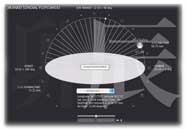
Version 2.0.1 (for MacOS): 11/18/2012
• Added 2 Nuclear Meltdown Places
• Fixed the Sun below horizon near the north pole.
Version 2.0.0 (for MacOS): 11/09/2012
• Added 18 Nuclear Explosions and Accidents Places.
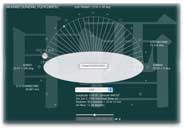
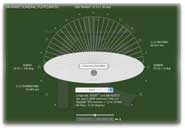
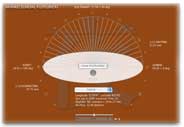
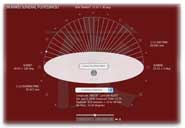
• Background color changes from grey, blue, green, orange to red gradually.
• Improved window transparency controller.
• Added saved last visited places list. When JIKANKEI CAN not get the data from US Naval Observatory Date Services,
it opens auotmatically. JIKANKEI saves the last visited place when you close.
Version 1.7.4 (for MacOS): 10/05/2012
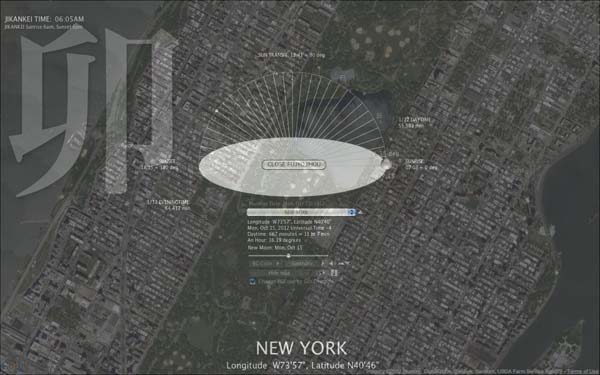
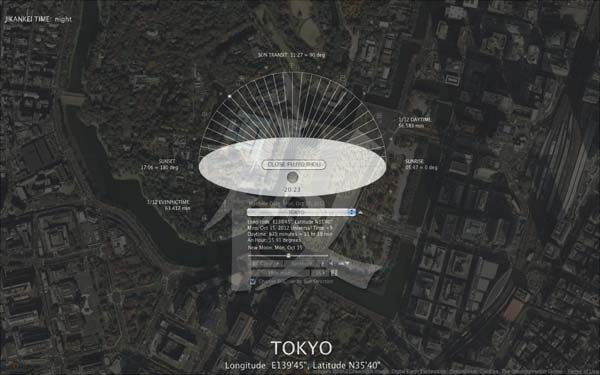
Place names, longitude and latitude are displayed on a full screen.
Map sizes bug of the custom setting was fixed.
Version 1.7.4 (for Window XP): 10/04/2012
Windows version does not support a full screen and Google map.
Version 1.7.1 (MacOSX only): 09/04/2012
Fixed getting data of JIKANKEI.
Removed "JIKANKEI Memories".
No Windows versions.
URL of sunrise and sunset data of US Naval Observatory Date Services were changed,
and JIKANKEI did not work for a while.
Version 1.6.4: 05/17/07
1) Windows version is updated to the same functions as Mac OSX. This version of Windows shows a satellite image of Google MAPS (but cannot show it on a full screen), and makes SUN music (you have to install a free version of "Apple QuickTime").
2) Fixed: Version 163 could not save Today's Data correctly, then "Call memory" did not work.(this problem was only version 163)
3) Improved "Help" from "Help" menu.
4) Improved a function of "put JIKANKEI into Dock(MacOS) / Taskbar(Windows)".
5) Map size added 18 to 19.
Version 1.6.3: (Mac OSX only)
1) Added: Time signal of SUN Music. (Select SUN Music the bottom of voice list)
2) Fixed: When JIKANKEI was started up, a custom default place name did not show correctly.
Version 1.6.2: (Mac OSX only)
1) Added: Create and record SUN music from the SUN memory data.
2) Added: User setting default place name appears in a place menu.
2) Fixed: When a default place was set, "Remember Today" was not shown.
6) and some small improvements.
Version 1.6.1: (Mac OSX only)
1) Showing Google MAPS was improved.
2) Fixed: When a default place was set by a user, maps size did not set correctly.
3) Fixed: When the date was change to the next day, could not get the data.
4) Large type of JIKANKEI FUJYOJIHOU which is converted to modern time system displays at the top left.
5) Place name size made wider.
6) Fixed: other small bugs.
Version 1.6.0: (Mac OSX only)
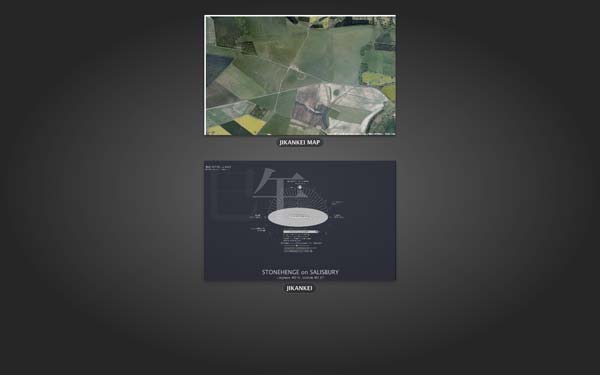
It shows Satellite images of Google map on the full size screen of background.
Version 1.5.6:
Fixed: When you set a light background color, a dark shadow appeared.
Version 1.5.5:
Fixed: Version1.5.4 did not show "Call Memory" correctly.
Version 1.5.4:
Added: Actual Today's date. "?" of Custom Places setting. Improved design of the Default Place setting.
Version 1.5.3:
Added function: Importing the saved date, custom places and other settings from an old version.
Version 1.5.2:
Fixed: After called memory, Today's universal time was set wrong.
Version 1.5.1:
Fixed: Phoenix was in the wrong time zone.
Version 1.5.0:
Added: MEMORIES can remember and call the day of FUJYO JIHOU in your time zone.
Version 1.4.9:
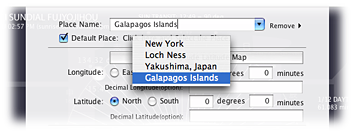
Added: Default place can be set.
Open custom place setting. Mark "Default Place". You can select the default place which you have set the places from the menu (see below).
Version 1.4.8:
Added: moon phases. Expanded background can be minimized into dock (only MacOSX).
Fixed: when the local time was over midnight, the date and sunrise-sunset data were not changed.
Wax: (of the moon between new and full) have a progressively larger part of its visible surface illuminated, increasing its apparent size.
Wane: (of the moon) have a progressively smaller part of its visible surface illuminated, so that it appears to decrease in size.
Version 1.4.7:
Added a calendar and can change the date.
Version 1.4.6 (only MacOSX):
If you use dual monitors, the second display can set an expanded background JIKANKEI.
Version 1.4.5:
1. If you were in South Australia time zone(+9.5), the local date and time were wrong.
2. When a machine was in the last day of month, JIKANKEI could not get sunrise and sunset data of next day's places .
Version 1.4.4:
Conversion from decimal number of longitude and latitude was wrong minutes.
Version 1.4.3:
1. You can set your favorite places on the Earth.
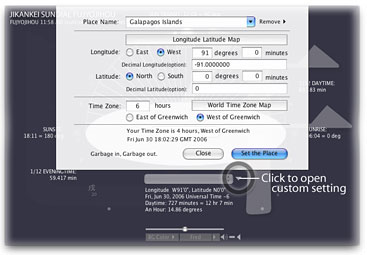
2. Linked with a longitude latitude map, and a time zones map.
3. Adjusted for midnight sun(arctic night).
4. Added places, YAKUSHIMA and GALAPAGOS ISLANDS.
Old History:
The project JIKANKEI (TimeToy or Time System in English) was started and participated in The First Free Biennial April, 2002. JIKANKEI is a Time browser collects and processes Internet Time data for an Art purpose. First version "The Beginning" was gathering various potential Time data for the purpose. And next “Chapter SUNDIAL JIKANKEI FUJYOU JIHOU” is the latest version.
Version 1.4.5 Bug fixed. 1. If you were in South Australia time zone(+9.5), the local date and time were wrong. 2. When a machine was in the last day of month, JIKANKEI could not get sunrise and sunset data of next day places .
Version 1.4.4: 1.Bug fixed. Conversion from decimal number of longitude and latitude was wrong.
Version 1.4.3: 1. You can set your favorite places on the Earth. 2. Linked with a longitude and latitude map, and a time zones map. 3. Adjusted for midnight sun(arctic night). 3. Added places, YAKUSHIMA and GALAPAGOS ISLANDS.
Version 1.4.2: 1. Prepared the new US daylight saving time from 2007(the Energy Policy Act of 2005). 2. Improved the control of the background color brightness. 3. Changed 1.4 version of help image. 4. Added "About JIKANKEI FUJYO JIHOU..." of Japanese. 5. Added voice test function 6. Added the City of SEATTLE. 7. Added showing back drop colors of Windows version 8. Fixed when the background color was expanded, a frame image appeared sometimes. 9. Corrected some errata.
Version FUJYO JIHOU 1.4.1: Fixed FUJYOJIHO twelve noon was wrong. Added speak function of zodiac symbol times. Added the city of SENDAI, Japan.
Version FUJYO JIHOU 1.4.0 (June 2006): Eight background colors added. Transparent is MacOSX only. Added FUJYOJIHO Time. Added the Evening character. MacOS version is Universal binary. Windows version has a close button on FUJYOJIHO window.
Version FUJYO JIHOU 1.3.1 : Put JIKANKEI into Dock(MacOSX) or Toolbar (Windows). Added redraw button icon. Transparent window function (only MacOSX).
Version FUJYO JIHOU 1.3.0 : Updated for MacOSX 10.3 Panther. Fixed Daylight saving time of Giza and Sydney. Changed redraw background area..
Version FUJYO JIHOU 1.2.9b : Fixed Daylight saving time of Baghdad.
Version FUJYO JIHOU 1.2.9 : Added Baghdad. Flashing evening time characters were fixed.
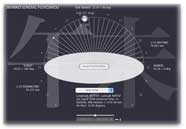
Version FUJYO JIHOU 1.2.8 : Shows large zodiac symbols which change their transparencies by Sun directions.
Version FUJYO JIHOU 1.2.7 : Added Linz.
Version FUJYO JIHOU 1.2.5, 1.2.6 & 1.2.6b : Fixed some minor bugs.
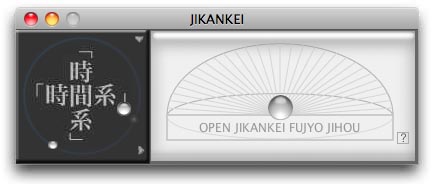
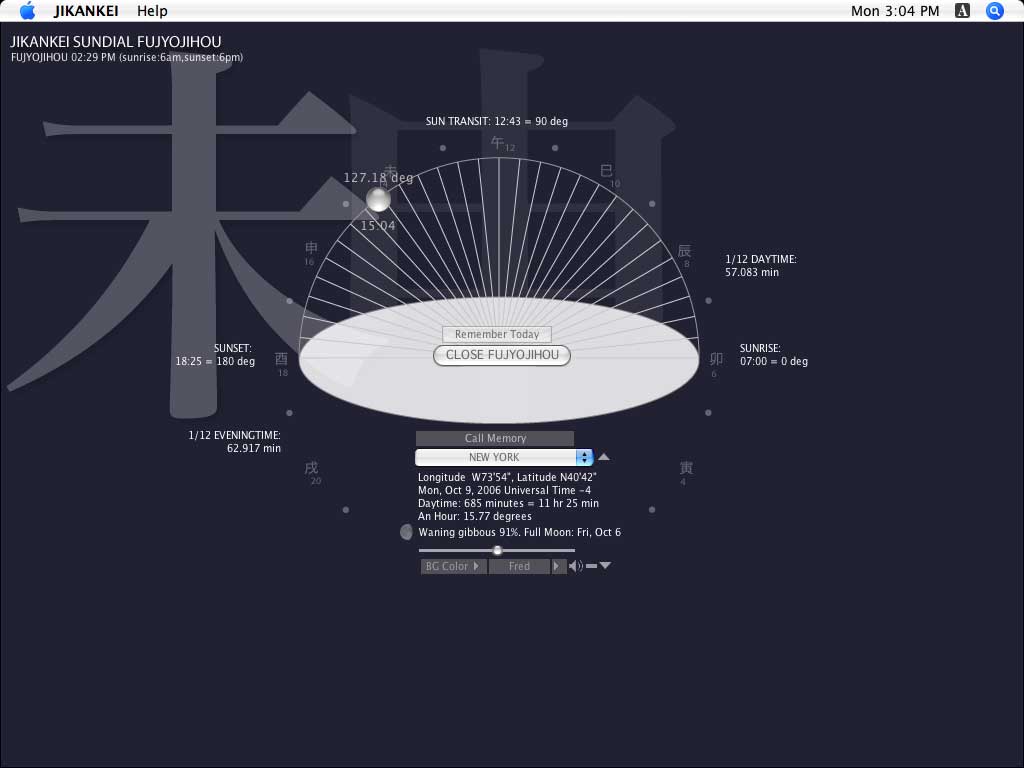
Version FUJYO JIHOU 1.2.4 displays ?FUJYO JIHOU (gradually changing time)? that is before Westernized Japanese Clock System.. ?FUJYO JIHOU? divides daytime to six equal periods which an angular unit to 30 degrees is measured along the celestial equator. When it is equinox one of periods is almost two hours. However It is changed by seasons, summer time is longer and winter time is shorter. The each divided points were named to the 6 directions of zodiac symbols in day time and the 6 directions of symbols in evening, such as U (rabbit, sunrise: six gongs), TATSU (dragon, about two hours form sunrise: five gongs), MI (snake, about four hours from sunrise: four gongs), and so on. JIKANKEI 1.2.4 also shows one twelfth of daytime and one twelfth of evening time for the understanding of differences between twenty fourth even divided modern clock system.
Version Chapter SUNDIAL 1.2.3: Controls background darkness and sizes. Added Kanazawa, Japan. Background pattern of SUNDIAL is your desktop,Version Chapter SUNDIAL 1.2.1: Improved handling Internet Connections. Fixed bugs. Added Cities.
Version Chapter SUNDIAL 1.2.0: JIKANKEI Chapter SUNDIAL displays angles of the SUN and local times for cities and places on the Earth. Sunrise and sunset data are taken from US Naval Observatory Date Services through Internet.
Version The Begging 1.1.3: Fixed Saving Time Function (European Saving Time was set from the last Sunday of March to the last Sunday of October). Fixed some Typos.
Version The Beginning1.1.2: Appears Flip face and CounterClock Wise Watch by Click. Attached Progress Bar for Timer. Improved Error and Time-out handlings of data downloading.
Version The Beginning 1.1.1: Checking updated time of news sites which are New York Times on The Web, BBC News, CNN.com, and Asahi.com that is one of time date of human activities on Internet. And check for updates of JIKANKEI version were added.
Participated in FREE MANIFESTA, May 2002, Frankfurt am Main Germany. FREE MANIFESTA is produced in conjunction with MANIFESTA 4, The European Biennial of Contemporary Art.
Version The Beginning 1.1.0d: Sunrise and sunset of Frunkfurt am Main.
Version The Beginning 1.1.0c: Added No sun phenomena of Antarctic and Arctic Circle, Internet time-out. Changed a panel color.
Version The Beginning 1.1.0b: Fixed Mac version type problems.
Version The Beginning 1.1.0: This first update of JIKANKEI was the first step into the Internet. Collected sample data of sunrise, sun transit and sundown of New York, Tokyo, Arctic and Antarctic Circles from U.S. Naval Observatory were added for one of Natural Phenomena.
Participated in The First Free Biennial April, 2002, New York
Version The Beginning 1.0.0: Created basic Time functions such as digital, analogue watch, tells "Times have changed, ..." in every an hour, and can adjust plus minus 60 seconds from machine’s system time.
June 17, 2002 Version The Beginning
Free Download: Artware "JIKANKEI" for MacOS X and Windows
hide version history